Authentication for Ham Radio
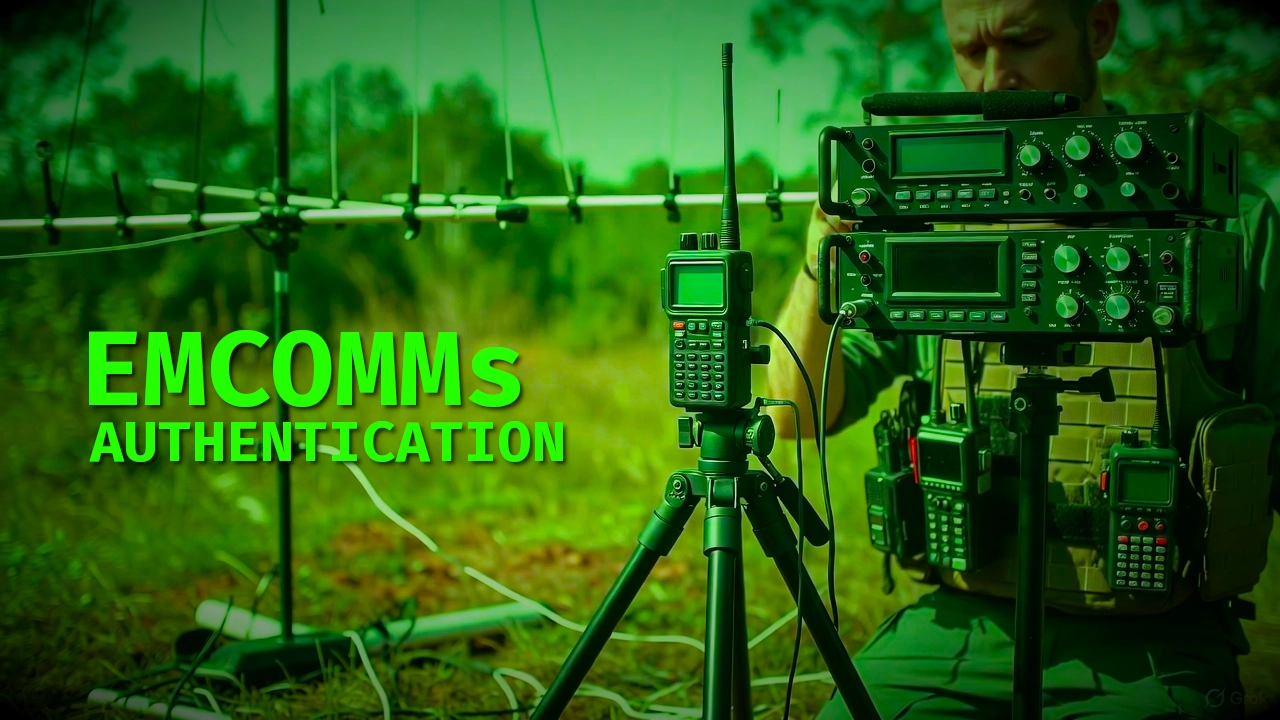
I came across some YouTube posts about the Black Swan Communication Exercise and was intrigued about it. I’ve always been interested in EMCOMMs and it was one of the main reasons I originally became involved with ham radio. With any of these kinds of things, operational security is often required.
Authentication
This isn’t cryptography per se, but it basically utilizes a one-time pad for authenticating the people you are speaking with on the other end of the radio are indeed the people you are speaking with. Digitally, this problem is easily solved with public key exchanges. Analogue presents a different set of challenges. You need to generate the one-time pad and then exchange it securely. This can be done in person or by encrypted file exchange (providing you have internet access).
The Script
I was able to vibe code a bash script that will generate a random, one-time pad in the shell. No special software required. Anyone with a linux distro can produce these.
1
2
3
4
5
6
7
8
9
10
11
12
13
14
15
16
17
18
19
20
21
22
23
24
25
26
27
28
#!/bin/bash
#---------------------
# VE5REV
# Authentication Table Generator
#

# Define the letters for the headers
TOP_HEADER=$(echo {A..M} | tr ' ' ' ')   # Results in "A B C D E F G H I J K L M"

LEFT_HEADER_CHARS=(N O P Q R S T U V W X Y Z)

# 1. Print the top header (A-M)
# Add TWO leading spaces: one for the missing left letter, one for the space after it
echo "  $TOP_HEADER"

# 2. Loop through 13 rows, generating the grid and adding the left header (N-Z)
for i in {0..12}; do
    LEFT_CHAR=${LEFT_HEADER_CHARS[$i]}

    # Generate a 13-character random string (for the row)
    GRID_ROW=$(tr -dc A-Z0-9 </dev/urandom | head -c 13)

    # Format the grid row: Insert a single space after each character
    FORMATTED_ROW=$(echo "$GRID_ROW" | sed 's/./& /g')

    # Print the left header character, followed by a space, followed by the formatted grid row
    echo "$LEFT_CHAR $FORMATTED_ROW"
done
You can copy & paste this code into a file. Then save it as with a script extension, something like authgen.sh then just make it executable in the shell.
1
chmod + x authgen.sh
To run the script and generate the pad, you just run the script in the shell.
1
./authgen.sh
It will generate the random output to the shell with the header rows along the top and left side. From here you can do a variety of things.
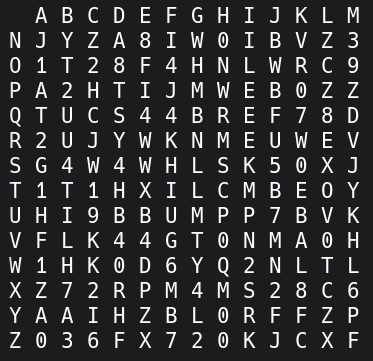
Then What
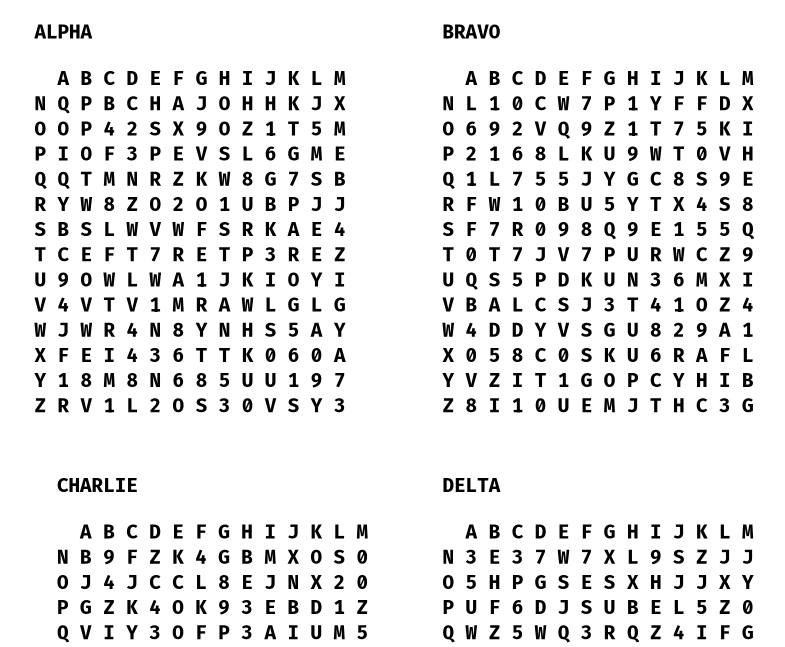
Once you generate these one-time pads, you can make them into convenient field cards or print several of them onto a page. You can simply copy the terminal output and then paste them into whatever application you are using to manipulate the text. I recommend using a monospace font to keep all the characters aligned. You can also use this shell script to export the output to a text file.
1
./authgen.sh > OneTimePad.txt
Here I copied the text blocks into LibreOffice Impress and assigned each one-time pad a designator like Alpha, Bravo, etc.
Using the One-Time Pad
When you use the one-time pad for authenticating, the first operator issues a challenge. In our example, using table ALPHA, “FOXTROT SIERRA.”
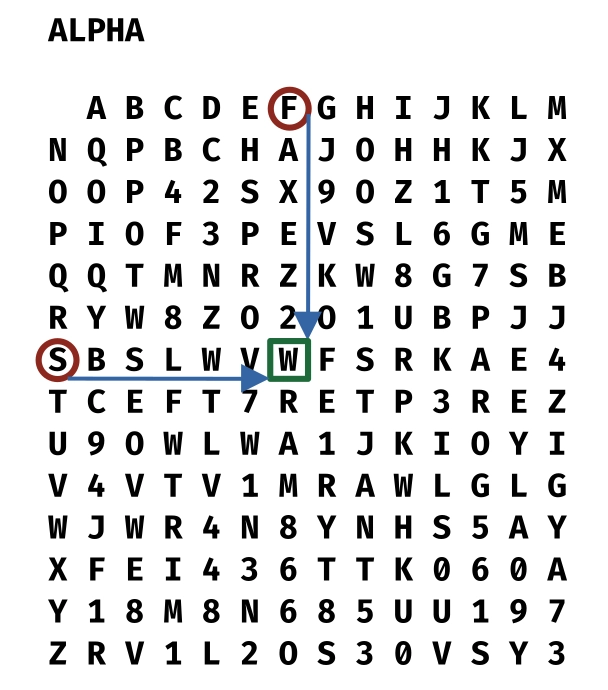
The second operator would respond “WHISKEY” and be authenticated. And then the second operator would issue a return challenge/response to the first operator. This gives reasonable assurance that the people speaking on the radio are indeed the right people.
You could change the protocol for further security. You could agree that the it was one right and one down of the intersection point, which in this example would be “ECHO.” Groups would simply need to establish an agree upon protocol. If the second operator fails to send the correct response, you know that person is a) an imposter or b) made a mistake.
It goes without saying that once you’ve used the one-time pad, you don’t reuse them - hence the name one time.
Exchanging One Time Pads
The one-time pad by itself is absolutely uncrackable and is the strongest form of encryption known to man. Even if a malicious character got hold of it, without knowing the protocol, it would be of little use. That said, we would still like to keep them secret and safe. The best possible scenario would be exchanging one-time pads in person with your group. If this isn’t possible, you would need to encrypt the one-time pads before sharing them. This would require PGP/GPG or some kind of public key exchange. This YouTube video tutorial will show you how to do that.
73 de VE5REV